

A bone density score describes a comparison with a reference population. A fracture probability asks a different question: how likely is a particular outcome over a specified period, given the factors considered by a model? Keeping those questions separate makes a bone health discussion easier to follow. FRAX is a fracture risk assessment tool that brings clinical information into that second conversation.
This page helps you prepare for the official FRAX calculator and understand the two percentages it reports. The calculation takes place on the official FRAXplus website, which opens in a new tab. When you return, you can enter the reported percentages into the results explainer. The Juvent page does not reproduce the FRAX algorithm, generate a fracture probability, or recommend treatment. Use it to organize questions for your healthcare professional.
Key Takeaways
- The official FRAX tool reports ten-year probabilities for hip fracture and major osteoporotic fracture.
- A T-score and a fracture probability answer different questions and should not be used interchangeably.
- Country-model selection, clinical history, and correct input definitions matter for a valid assessment.
- When bone density is included, FRAX uses femoral-neck information rather than any available DXA value.
- The Juvent results explainer describes percentages already obtained from the official tool; it does not calculate FRAX or set treatment thresholds.
Start With the Official Calculator
Select the button to open the official FRAX calculator on FRAXplus. It is an external service operated by the FRAX provider. Follow the instructions there and use professional guidance when you are unsure about an input or the suitability of an assessment. This page does not pass your answers to the external site or fill its fields on your behalf.
Keeping the calculation with the official provider matters because the model involves more than adding up a few risk factors. A homemade formula can produce a convincing-looking percentage without reproducing the validated tool. The preparation checklist and results explanation here offer useful support around the official calculation while keeping the origin of the result explicit. No Juvent product selection changes the reported probability.
What Do the Two Results Describe?
FRAX reports a probability of hip fracture and a probability of major osteoporotic fracture over ten years. Major osteoporotic fracture includes a defined group of fracture sites, rather than every possible broken bone. Hip fracture is included within that broader outcome, so the two figures should not be added together to create a new total.
The results explainer displays each percentage separately. It also translates the figure into an approximate number out of one thousand people with the same modeled probability, which can make a small percentage easier to picture. That translation is arithmetic applied to your supplied result. It is not a second risk model, a prediction of which individuals will fracture, or a count of events that must happen.
A Probability Is Not a Personal Forecast
A percentage expresses uncertainty within a model. It cannot tell an individual whether a fracture will occur or on which date. A lower figure is not a guarantee of safety, and a higher figure does not mean a fracture is inevitable. Your clinician considers the result alongside other information, including details that may not be fully represented by a basic calculation.
For this reason, the explainer does not use green, amber, or red labels to declare a personal result acceptable or dangerous. It does not suggest medication, a supplement, or a device based on the number. The most useful next step is to ask how the estimate fits your clinical picture and whether it changes any recommended care, follow-up, or activity guidance.
Gather Information Before Entering Answers
The official tool asks about personal and clinical characteristics relevant to its model. Before starting, have reliable information available rather than guessing. A healthcare professional can help clarify the meaning of a previous fracture, relevant medication exposure, family history, or a condition mentioned in the questions. Everyday descriptions do not always match the definitions used by a clinical calculator.
The checklist on this page helps you note whether you have the information you need. Its completion count reflects preparation only. It is not a risk-factor count, an eligibility decision, or evidence that the calculation has been validated. If an answer remains unclear, keep that question for your clinician rather than selecting whichever option seems likely to produce a reassuring result.
Country and Model Selection Matter
FRAX uses country-specific models, so the model is part of the assessment rather than a cosmetic language preference. A translated interface and the selected country model are different things. Do not assume that changing the display language automatically selects the population context appropriate for you. Follow the official instructions and ask for advice when your circumstances make the choice unclear.
This Juvent guide does not silently choose a model based on your location, browser language, or the fact that the site serves a US audience. Those shortcuts could create an assumption you never reviewed. Record which model was used when keeping a result, especially if you later discuss it with another clinician or compare it with an assessment performed elsewhere.
Use the Correct Bone Density Information
When bone mineral density is included in a FRAX assessment, the input relates to the femoral neck. The total hip, lumbar spine, and femoral neck are distinct measurement sites. A score copied from the most prominent line of a DXA report may therefore be the wrong value for the requested field. A Z-score should not be substituted for a T-score simply because both are printed on the report.
If you are unsure which line or reference applies, use the report to ask your clinician or scan provider. The official calculator's instructions explain the relevant options. The separate Juvent bone density chart can help you understand score terminology, but its category labels do not turn a spine result into a valid femoral-neck input or verify the reference database used by the reporting facility.
What If You Do Not Have a DXA Report?
The official tool supports assessment with clinical information and can be used without a bone density input in appropriate circumstances. That does not mean every person should complete it without guidance or that a result settles whether a scan is needed. Ask your healthcare professional how fracture risk assessment and bone density testing fit your situation.
Do not invent a bone density value to complete an optional field. Also avoid borrowing a score from another person of a similar age. A fabricated input adds an appearance of detail without improving the assessment. If your clinician performs an assessment without BMD, keep that context with the result so it can be understood correctly during any later discussion or follow-up.
Bring Existing Treatment Into the Discussion
If you already take osteoporosis medication or have an established fracture care plan, discuss the purpose of a FRAX calculation with your treating professional. A changing online number should not be used independently to judge whether treatment is working, decide to stop medication, or replace the monitoring approach recommended for you. The model and the care plan serve related but distinct roles.
The results explainer does not compare two dates and claim that a product reduced your fracture probability. Differences in age, inputs, model selection, or available information can affect comparisons. Keep the original reports and assessment details together and ask what can reasonably be inferred. A useful follow-up conversation depends on more than whether the most recent percentage is smaller.
Basic FRAX and Additional Adjustments Are Different
FRAXplus provides additional adjustment features for selected clinical circumstances. These should not be treated as a collection of sliders to keep adjusting until a result feels right. The official provider describes limitations around applying multiple adjustments, and individual clinical judgment remains important. A general educational page should not combine them into an unvalidated formula.
This page therefore does not apply adjustments for falls, fracture recency, medication dose, or differences between scan sites. If one of those topics is relevant, ask your clinician how it should affect interpretation. The absence of a local adjustment feature does not mean the factor is unimportant. It means the results explainer stays within its role of describing the two official percentages you supply.
Turn the Results Into a Focused Appointment
After entering the official percentages, copy the explanation card for your own notes. Keep the calculation date and original result separately, and bring the complete assessment to your appointment when available. Ask which model and inputs were used, whether the result changes any recommendation, and what other clinical information needs attention. A short question list can make the discussion easier to follow.
You can also ask about practical next steps, such as appropriate activity, fall prevention, nutrition review, or follow-up testing. These decisions depend on the person and should not be triggered by a percentage alone. If you have a recent injury or suspect a fracture, seek assessment rather than waiting to complete an online risk calculation. A long-term probability is not an evaluation of an acute injury.
Where Juvent Fits in Bone Health Education
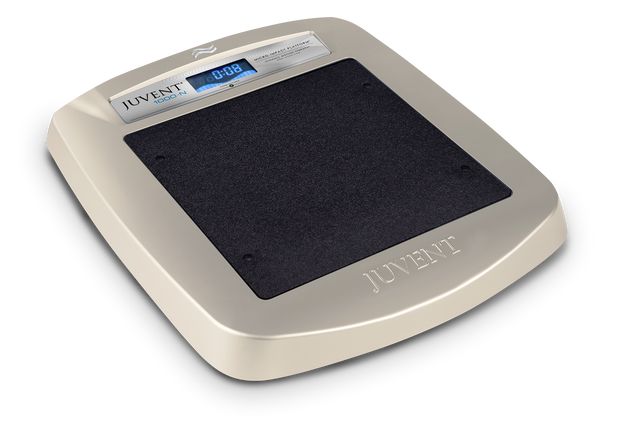
Juvent's resources connect bone health information with a clearer understanding of nutrition, movement, and mechanical stimulation technology. A product discussion can be useful when you understand the intended use, relevant evidence, and practical requirements. It should remain separate from the interpretation of a fracture-risk result, because a shopping decision is not a clinical response to a particular percentage.
The Micro-Impact Platform is registered in the United States as a Class I device for exercise and rehabilitation. Its use for osteoporosis treatment and improvement or maintenance of bone mineral density remains investigational. This page does not claim that using a platform lowers a FRAX result or prevents fractures. Review any proposed addition to your routine with your healthcare professional, while continuing recommended medical care.
Frequently Asked Questions
Does this page calculate my FRAX score?
The actual FRAX calculation happens on the official external calculator linked above. This page provides a preparation checklist and explains results you enter after obtaining them there. It does not reproduce the algorithm or generate risk percentages from your age or medical history.
Can I add the hip and major fracture percentages together?
No. Hip fracture is part of the major osteoporotic fracture outcome, so the figures are not independent categories to add. Keep them labeled separately and ask your clinician how to interpret each result within your assessment and care plan.
Can I use my spine T-score in the official calculator?
Do not substitute it for a femoral-neck input. Scan sites and score types are not interchangeable. Check the official instructions and ask your clinician or scan provider which values apply before entering a result from your DXA report.
Does a lower percentage mean I do not need treatment?
The explainer cannot make that decision. Treatment recommendations depend on clinical history, guidelines, and the complete assessment. Do not start, stop, or change prescribed care based on this page or a result entered without professional interpretation.
Will Juvent products change the result shown here?
No. The explainer displays the percentages you enter and never alters them based on a product or routine. It makes no claim that a platform or supplement reduces fracture probability. Discuss product suitability and bone health management as separate questions with your clinician.
Sources & further reading
Sources support the educational context. Interactive matching and question prompts are editorial aids, not validated clinical models. Food values are curated reference examples, not a complete database.